Soulfused Devlog #2
Let's try to build up some momentum with these devlogs! I have a few ideas for topics to write about and I kinda like the idea of revisiting some parts of the project to talk about them. In this one I want to talk about the biggest and most complicated area of the game: The input parser. A fair warning: This might get a bit technical.
Before we dive into it though, let's talk about the decisions that lead there.
Why no mouse?
That's one of the main questions I get when I demo my game at events, and honestly I don't really have an answer beyond "For the fun of it". Designing a game that doesn't utilize the mouse at all has definitely been a challenge.
Historically, there are many games from the earlier days of computer gaming which are purely text based both in input and output, so the idea is not new at all. Still, after the commercialization of the computer mouse in the late 70s / early 80s it's become rare to have computer experiences of any kind which doesn't take advantage of the mouse.
For me it became a challenge. Almost like a puzzle to solve. How could I capture the spirit of those early text based games while at the same time create something that feels modern and intuitive? And how far should I take it? Just the gameplay? Should the mouse be optional, valid in some places, or completely ignored? What about menus? Settings? Popups? Designing these screens really had me tearing my hair out at times and I was tempted to take shortcuts. In the end though, the only place where the mouse is recognized in any way is on the main menu. And even there, it's only purpose is to tell the player that the mouse is not a valid input method.
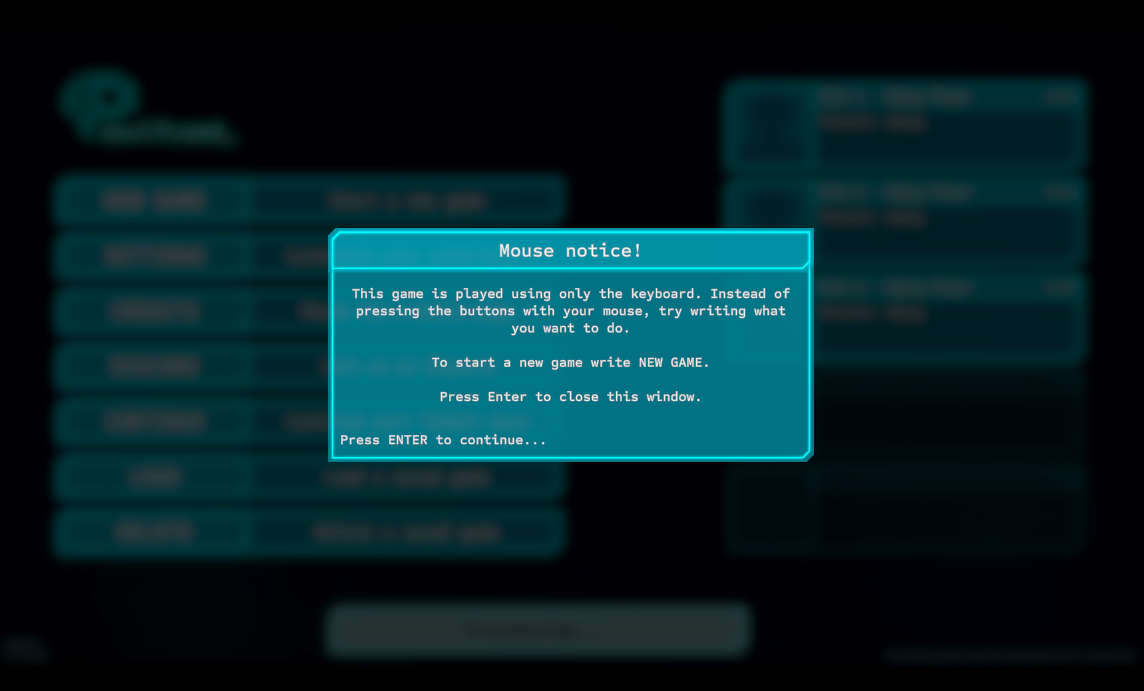
Did I succeed in creating an experience with text-only input that doesn't feel tedious? That remains to be seen as more players get to try the game. But from what I've seen at events and playtests, people seem to grasp the concept surprisingly fast.
Different types of input
The earlier versions of the system had strict rules for what would be recognized as valid input. There was a concrete list of words that was recognized, which was tied to individual functions in the code. This was mostly due to the fact that it was originally designed as a debug tool, not as a game mechanic.
In the original tool I also converted everything to upper case on the fly. While the input is still always upper case for clarity, the system has now technically moved to a system that ignores case completely when checking the text.
Once the idea of a game built around text based took shape, I started looking into other (And especially older) games to see how it had been done by others. This turned out to be a bit more of a challenge than expected, as the idea of text adventures have existed and evolved through many shapes and forms through the years. Even in Steam, if you are to filter by "Text based" and "Adventure" you get a lot of visual novels and other games. I was also surprised to find that the idea of "Text Adventures" are so far gone these days that hardly any tags or filters for them exist. That's not to say the games don't exist though, as I've come across many interesting recent text adventures in my research. They can just be kinda tricky to find.
The evolution of the PlayerAction
I did decide early on that I wanted a simple structure for my input parser, while still allowing it to remaining flexible. This lead to a parser that interpreted the text input and processed into what I called PlayerActions. Through most of the development, a PlayerAction consisted of two parts: An Action and a Target. Most commonly an Action is a verb and the Target a noun, though there are exceptions. Inputting the phrase "Go West" creates a PlayerAction in which "go" is the action and "west" is the target.
The PlayerAction also supports actions that don't require a target. Actions which don't require a target are things like "New Game", "Save" or "Exit".
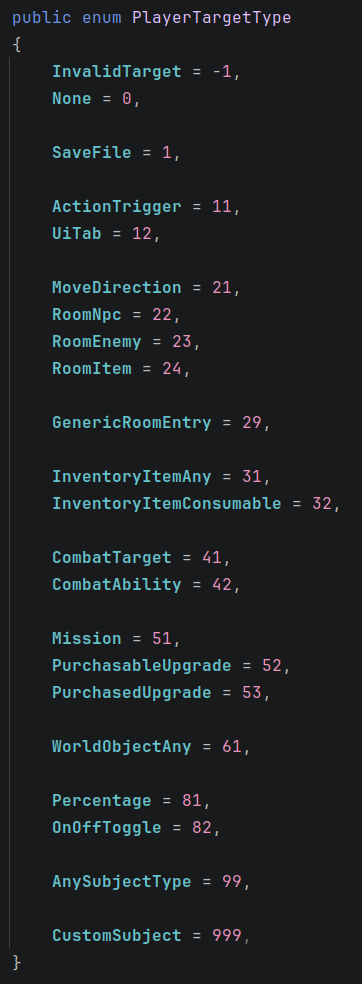
I also needed to be able to link specific types of targets to specific actions. For example, "Go South" and "Pickup Banana" are both valid, while "Go Banana" and "Pickup South" makes no sense. This led to a system where the actions are the core, with each action type could have zero or more valid target types attached to them. Target types are things like "Directions", "Items in room" or "Items in inventory".
Next, I decided fairly early that I wanted to support a more natural language, which testing showed me was important for people who aren't familiar with the older text adventure genres. I noticed people often try type things like "I want to pick up the ball" instead of just "take ball". This led to a system that scans the text and extract potential key phrases to see what action and target seems most reasonable. You might also notice that "pick up" is two words instead of a single word (like "pickup" or "take") which initially completely broke the game since it only considered single words as actions.
The idea of highlighting detected phrases in real time was actually a result of me debugging this natural language feature. I needed to see which words were being detected by the system to test if it was working as intended. It was surprisingly useful, so I kept it as a feature and expanded on it with separate colors for each detected phrase.

The interesting part here is that, even though the action is the core, the starting point for regeneration are the targets. The logic being that there's no point in adding actions like "speak" if there's nobody around to talk to. In short, it helps the input parser stay context aware.
Testing, testing and learning
While the PlayerAction system remained relatively unchanged for a long time after this, once I started bringing the game to events I started observing the shortcomings of the system. I mentioned in the previous devlog that I will never fail to be surprised by what people try to do and the results they expect when trying demos and prototypes, and I stand by that statement.
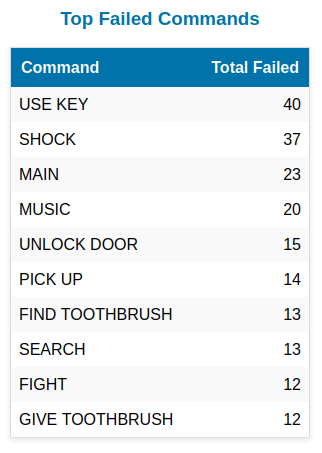
During these playtesting events I also started to keep track of the failed commands people were trying to use. These observations and logs directly led to a long list of improvements, such as:
- Aliases: While the original action might be "go", similar words like "move" or "walk" are treated as aliases for "go" and yield the same result.
- Shortcuts: While I had previously seen people less familiar with games type out full sentences ("I want to go West") I now got to see more experienced players go in the completely opposite direction and just type "West" or even just "W" and expect it to work. The system can now handle both these extremes.
- Multi-targets: "Use Key with Lock" or "Combine Piece A with Piece B" which can yield any number of results.
- Overrides: More on this in a bit, but the short version is that I quickly learned that not everything can be generic.
- History: By using the arrow keys, the player is now able to repeat their most recent actions.
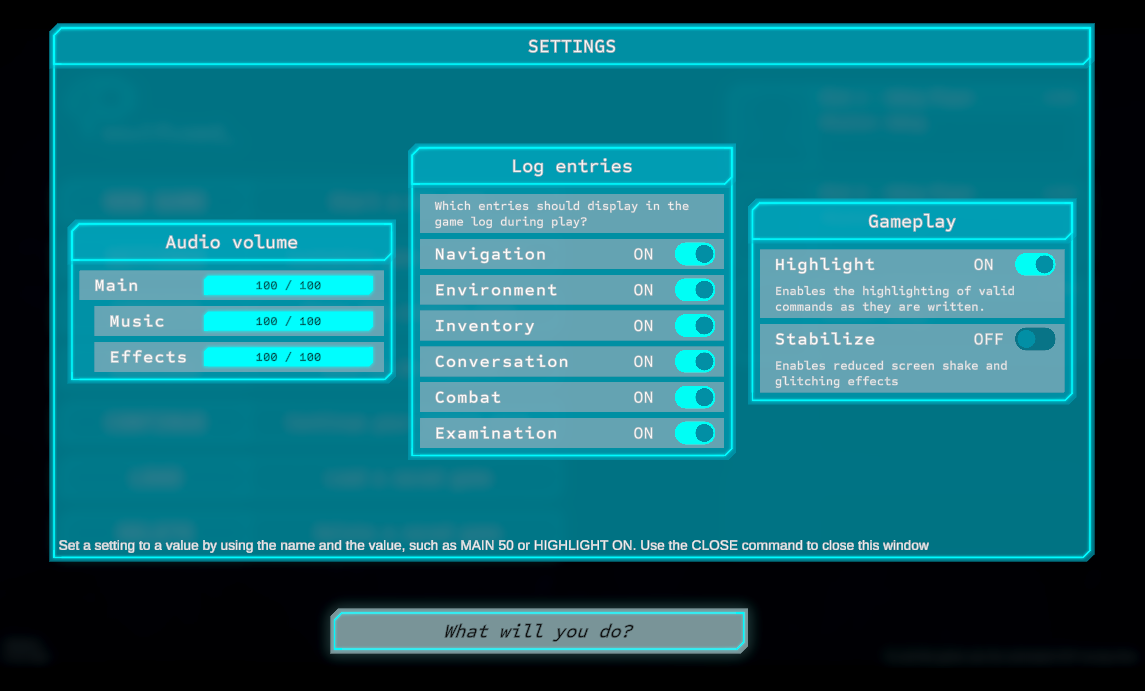
- Simplified dialog. In the earlier prototypes, the player had to type "next" every time they wanted to progress in dialog. This got incredibly tedious really fast. This has now been replaced by a simple "press enter to continue". I was very torn on whether this was the right choice, since it would mean a part of the game no longer required text input. In the end I landed on the side of user experience over gimmick, which still feels like the right decision.
Side-note: Due to the highlighting feature, tracking failed commands immediately became more challenging. People who understood the highlighting would type their command, see if it was recognized and (if not) erase it instead of hitting enter. As a direct result, I also started tracking "cancelled commands" whenever input was completely erased after containing a minimum number of characters.
Thanks for reading! If you want to stay closer to the development of the game I usually post updates first on Bluesky.
